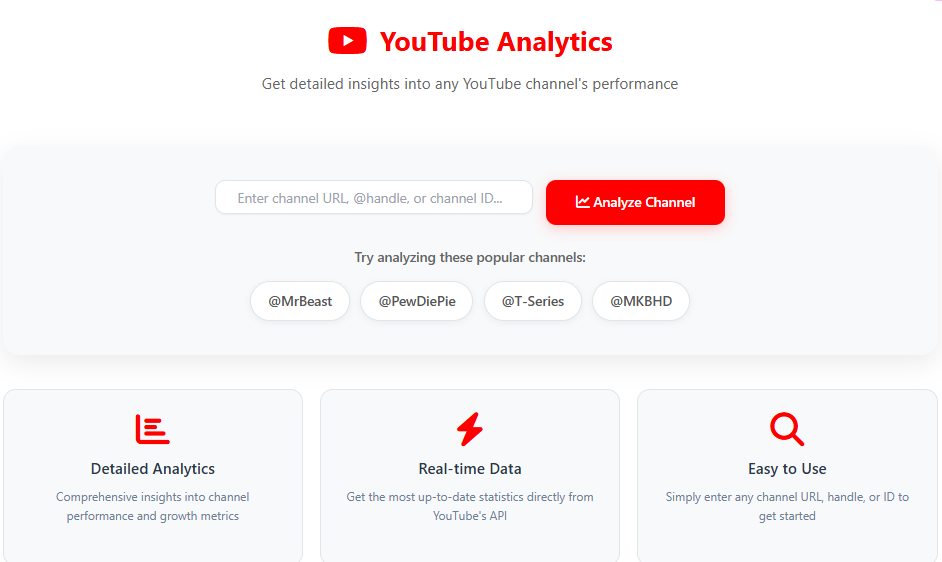
Free YouTube Analytics Tool: Analyze Any Channel Performance
Welcome to the most comprehensive free YouTube analytics tool available online. Whether you’re a content creator, marketer, or competitor analyst, our advanced YouTube channel analytics platform provides deep insights into any YouTube channel’s performance metrics. Track subscriber growth, video engagement rates, view statistics, and audience demographics with our powerful, user-friendly tool.
Why Use Our Free YouTube Analytics Tool?
In today’s competitive digital landscape, understanding YouTube performance metrics is crucial for success. Our tool offers real-time data analysis that helps you:
Track competitor performance and identify successful content strategies
Monitor your channel growth and engagement patterns
Analyze video performance to optimize your content strategy
Understand audience behavior and preferences
Benchmark against industry standards and top performers
Key Features of Our Free YouTube Analytics Tool
Comprehensive Channel Overview
Get instant access to crucial YouTube channel statistics including total subscribers, video count, overall views, and channel creation date. Our tool provides a complete snapshot of any channel’s standing in the YouTube ecosystem.
Advanced Engagement Metrics
Measure what matters most with our detailed engagement rate analysis. Track likes, comments, and overall interaction rates to understand how audiences respond to content. Our YouTube analytics software calculates precise engagement percentages that help you gauge content effectiveness.
Video Performance Tracking
Analyze individual video performance with our YouTube video analytics features. View detailed metrics for recent uploads, including view counts, like-to-view ratios, comment engagement, and performance trends over time.
Subscriber Growth Analysis
Monitor subscriber growth patterns and identify what content drives channel expansion. Our tool helps you understand the correlation between video performance and subscriber acquisition.
Competitive Intelligence
Conduct thorough YouTube competitor analysis by comparing multiple channels. Identify content gaps, successful formats, and growth opportunities by studying competitor channels in your niche.
Who Can Benefit from This Free YouTube Analytics Tool?
Content Creators and YouTubers
If you’re serious about growing your YouTube channel, our analytics tool provides the insights needed to make data-driven decisions. Understand what content resonates with your audience, when to post for maximum engagement, and how to optimize your video strategy for better performance.
Digital Marketing Agencies
For agencies managing multiple client channels, our YouTube analytics platform offers comprehensive reporting capabilities. Track campaign performance, demonstrate ROI to clients, and optimize social media strategies based on concrete data.
Brands and Businesses
Businesses using YouTube for marketing can leverage our tool to analyze campaign effectiveness, track brand mentions, and understand how their content performs against competitors. Make informed decisions about your video marketing budget and strategy.
SEO Professionals and Consultants
YouTube is the second largest search engine, and our tool helps SEO experts understand video SEO performance. Analyze how video content impacts search visibility and user engagement across platforms.
How to Use Our Free YouTube Analytics Tool
Using our tool is straightforward and requires no technical expertise:
Enter Channel Information: Simply paste any YouTube channel URL, @handle, or channel ID into the search box
Generate Analytics: Click the analyze button to process comprehensive channel data
Review Results: Study the detailed analytics dashboard with charts, metrics, and performance indicators
Apply Insights: Use the data to improve your content strategy and growth efforts
Understanding Key YouTube Metrics
Engagement Rate: The Ultimate Performance Indicator
Engagement rate measures how actively your audience interacts with your content. Our tool calculates this by analyzing likes, comments, and views to give you a clear picture of content performance. High engagement rates typically indicate content that resonates well with viewers.
Average Views Per Video
This metric helps you understand the typical performance of your content. By tracking average views per video, you can set realistic expectations for new uploads and identify underperforming content that might need optimization.
Subscriber Growth Rate
Monitor how quickly your channel is expanding with subscriber growth rate analytics. This metric helps you understand the long-term health and potential of your YouTube channel.
Audience Retention Patterns
Our tool analyzes how viewers interact with your content over time, helping you identify the most engaging parts of your videos and where viewers tend to drop off.
Advanced YouTube Analytics Features
Real-time Data Processing
Unlike many other tools that use cached data, our YouTube analytics software pulls real-time information directly from YouTube’s API. This ensures you’re always working with the most current data available.
Multi-Channel Comparison
While our basic tool analyzes individual channels, the methodology can be applied to compare multiple channels simultaneously—perfect for competitive YouTube analysis.
Historical Trend Analysis
Track performance over time to identify seasonal patterns, growth trends, and content performance evolution. Understanding historical data helps predict future performance and plan content calendars effectively.
Custom Metric Calculations
We’ve developed proprietary algorithms that go beyond basic YouTube analytics to provide insights you won’t find in YouTube Studio, including predicted growth rates and content performance scores.
Benefits of Regular YouTube Analytics Monitoring
Data-Driven Content Strategy
Stop guessing what content to create. Use our YouTube channel insights to understand exactly what your audience wants to watch. Identify successful content patterns and replicate them while avoiding underperforming formats.
Optimized Publishing Schedule
Analyze when your audience is most active and engaged to determine the ideal times to publish new content. Our tool helps you identify patterns in viewer behavior that can significantly impact your video performance.
Improved Audience Understanding
Go beyond basic demographics to understand how different audience segments interact with your content. This knowledge helps you create more targeted and effective video content.
Competitive Advantage
In the crowded YouTube landscape, having detailed analytics gives you a significant edge. Understand what works for competitors and adapt those strategies to your own channel while avoiding their mistakes.
YouTube Analytics for Different Content Niches
Gaming Channels
For gaming content creators, our tool provides specific metrics relevant to gaming content, including live stream performance, game title popularity, and audience engagement during gameplay.
Educational Content
Education channels can benefit from analyzing content comprehension metrics, tutorial completion rates, and educational value assessments through engagement patterns.
Vlogging and Lifestyle
Personal content creators can track audience connection metrics, personal brand growth, and content authenticity measurements through detailed engagement analysis.
Business and Marketing
Corporate channels can monitor lead generation effectiveness, brand awareness growth, and ROI on video content investments through specialized metric tracking.
Common YouTube Analytics Questions Answered
How Often Should I Check My YouTube Analytics?
For active channels, we recommend checking analytics at least weekly. Serious creators should monitor key metrics daily while conducting deep-dive analysis monthly to track long-term trends.
What’s a Good Engagement Rate on YouTube?
While engagement rates vary by niche, generally:
Excellent: 8-15% engagement rate
Good: 4-8% engagement rate
Average: 2-4% engagement rate
Needs improvement: Below 2%
Our tool helps you benchmark against your specific niche for more accurate comparisons.
How Can I Improve My YouTube Analytics?
Focus on:
Creating content that encourages comments and discussion
Using compelling thumbnails and titles to increase CTR
Engaging with your audience in comments
Analyzing performance data to replicate successful content
Optimizing video length for your specific audience