PNG to PDF Converter – Free Online Tool | Convert PNG Files to PDF Instantly
Free PNG to PDF Converter – Drag & Drop Images, Smart Reordering, Advanced Settings, 100% Client-Side Processing, Batch Conversion, Quality Preservation, Instant Download, No Watermarks, Mobile Optimized, Privacy-First, No Registration Required
PNG to PDF Converter
Transform your PNG images into professional PDF documents
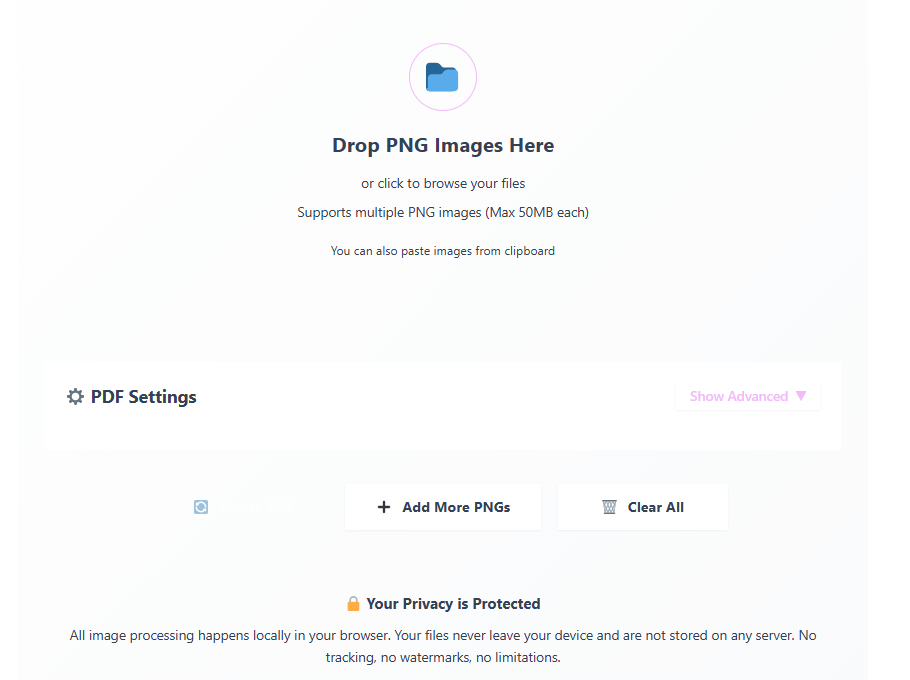
Drop PNG Images Here
or click to browse your files
Supports multiple PNG images (Max 50MB each)
You can also paste images from clipboardSelected Images
⚙️ PDF Settings
Creating PDF...
0%Initializing conversion...
PDF Successfully Created!
Your document is ready for download.
All image processing happens locally in your browser. Your files never leave your device and are not stored on any server. No tracking, no watermarks, no limitations.
© PNG to PDF Converter – Client-side processing | No data collection | Free for personal and commercial use
PNG to PDF Converter: Free, Fast & Secure Online Tool
Looking for a free PNG to PDF converter that works instantly without compromising your privacy? You’ve found the perfect solution! Our PNG to PDF converter tool is designed to transform your image files into professional PDF documents in seconds, entirely in your browser. No downloads, no installations, and most importantly—no data uploads to external servers. Your files never leave your computer, ensuring 100% privacy and security.
Why Choose Our PNG to PDF Converter?
In today’s digital world, converting images to PDF format has become essential for document sharing, printing, and archiving. Whether you’re a student compiling research images, a professional creating presentations, or someone organizing personal photos, a reliable PNG to PDF conversion tool saves time and maintains quality. Our converter stands out because it:
Processes files 100% client-side – No server uploads, maximum privacy
Maintains original image quality – No compression unless you choose it
Handles multiple PNG files – Convert batch images into a single PDF
Works completely free – No watermarks, no limits, no registration required
Operates instantly – Real-time conversion with no waiting time
Key Features That Make Our Tool Exceptional
1. Drag-and-Drop Interface
Our intuitive interface allows you to simply drag PNG files into the converter area or click to browse your files. The tool supports multiple file uploads simultaneously, making batch conversions effortless.
2. Smart Image Reordering
Need specific page order? Our tool features drag-and-drop reordering, allowing you to arrange images exactly as you want them in the final PDF document.
3. Advanced Customization Options
Customize your PDF output with:
Multiple page sizes (A4, Letter, Legal, A3, A5)
Portrait or landscape orientation
Adjustable image quality settings
Custom margin controls
Page compression options
4. Optimized Performance
Our converter uses advanced JavaScript libraries to ensure fast processing, even with large files. The tool is optimized to handle high-resolution PNG images without crashing your browser.
How to Convert PNG to PDF: Step-by-Step Guide
Converting your PNG files to PDF format has never been easier. Follow these simple steps:
Step 1: Upload Your PNG Files
Click the upload area or drag and drop your PNG images. You can select multiple files at once—our tool supports batch processing.
Step 2: Arrange Your Images (Optional)
Use the drag handle (⋮⋮) on each image to rearrange their order in the PDF. This determines the page sequence in your final document.
Step 3: Customize Settings
Access the advanced settings to choose:
Page Size: Select from standard paper sizes
Orientation: Choose between portrait and landscape
Quality: Adjust compression level (higher quality = larger file size)
Margins: Set spacing around images
Step 4: Convert and Download
Click the “Create PDF” button. The conversion happens instantly in your browser. Once complete, download your professional PDF with one click.
Common Use Cases for PNG to PDF Conversion
Educational Purposes
Students and educators frequently need to convert diagrams, charts, and illustrations from PNG to PDF for inclusion in research papers, presentations, and study materials.
Business Applications
Professionals use PNG to PDF conversion for:
Creating product catalogs
Compiling reports with images
Preparing presentations
Archiving scanned documents
Personal Organization
Convert personal photos, artwork, or scanned documents into organized PDF albums for easy sharing and storage.
Technical Specifications and Compatibility
Our PNG to PDF converter online tool is built with modern web technologies:
File Format Support: PNG images only (supports .png extension)
Maximum File Size: 50MB per image
Maximum Images per Conversion: Unlimited (practical limit based on device memory)
Browser Compatibility: Chrome, Firefox, Safari, Edge, Opera
Device Support: Desktop, tablet, and mobile devices
Processing Method: 100% client-side JavaScript
Privacy and Security: Our Top Priority
Unlike many online converters that upload your files to their servers, our tool processes everything locally in your browser. This means:
No data leaves your computer
No third-party access to your files
No storage of your images on external servers
Complete anonymity – we don’t track or log your usage
According to cybersecurity experts at Kaspersky, client-side processing is the gold standard for privacy-sensitive file conversions.
Frequently Asked Questions (FAQ)
Is this PNG to PDF converter really free?
Yes! Our tool is completely free with no hidden costs, watermarks, or usage limits. We believe in providing accessible tools without compromising on quality.
Do I need to install any software?
No installation required. Our converter works directly in your web browser—no downloads, no plugins, no registrations.
How many PNG files can I convert at once?
There’s no strict limit, but for optimal performance, we recommend converting up to 50 images at once on desktop or 5 images on mobile devices.
Will the quality of my PNG images be preserved?
Yes, by default, our tool maintains original image quality. You can adjust compression settings if you need smaller file sizes.
Can I convert other image formats to PDF?
Currently, our tool specializes in PNG to PDF conversion. For other formats, check out our JPG to PDF converter or Image to PDF tool.
Is there a file size limit?
Each PNG file should be under 50MB for reliable conversion. Larger files may cause browser performance issues.
How long does conversion take?
Conversion is nearly instant for most files. Larger batches or high-resolution images may take a few seconds, but all processing happens in real-time.